

To ensure a clean, professional look for your interview video, please follow the setup guidelines below:
 1. Equipment
You may use either:
•
MacBook Camera (MacBook Pro 14-inch/16-inch from late 2021 onwards and M2 MacBook Air)
•
iPhone camera (recommended if available — often sharper) (Apple iPhone 11 onwards, selfie camera supports 1080p, make sure resolution is 1080p and 30fps)
Please ensure:
•
Use built-in microphone or wired earphones if needed (avoid AirPods due to audio delay/echo issues).
2. Camera Positioning
•
Camera should be at eye level — not angled up or down.
•
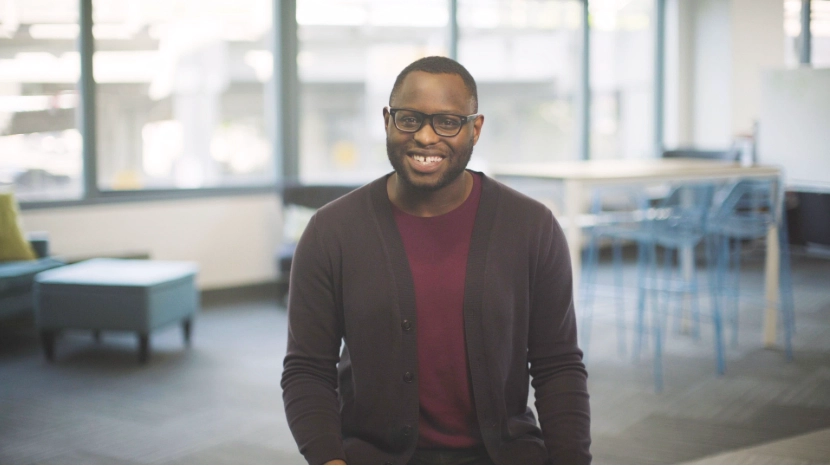
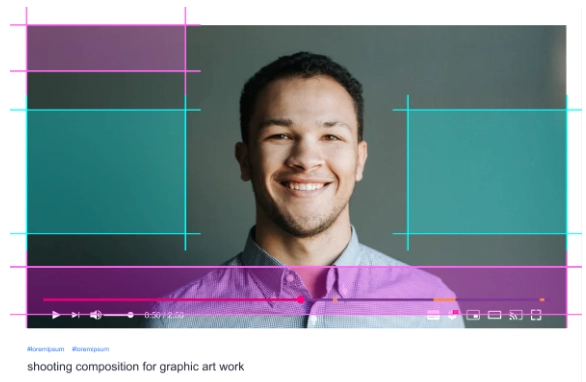
Frame yourself centered, with:
◦
Enough headroom (a small space between your head and the top of the frame)
◦
Upper torso visible — roughly waist to head
•
Make sure your face is evenly lit with no harsh shadows.
•
Please film slightly zoomed out.
(We will add zoom-in/zoom-out effects in editing, so we need extra space around you.)
 3. Environment / Venue
Choose a setting that looks clean and professional:
•
Bright, well-lit room
◦
Natural light is great (face a window), or use soft indoor lighting
•
Colourful or visually appealing background
◦
Bookshelves, art, plants, a tidy desk, etc.
•
Avoid beds or messy areas
•
Background examples:
◦
Desk
◦
Door
◦
Shelves
◦
Clean wall with a bit of texture or colour
•
Quiet environment
◦
Close windows, silence notifications, and avoid foot traffic/noise.